> For the complete documentation index, see [llms.txt](https://doc.commandersact.com/llms.txt). Markdown versions of documentation pages are available by appending `.md` to page URLs; this page is available as [Markdown](https://doc.commandersact.com/fr/fonctionnalites/data-quality/data-quality.md).
# Qualité des données des sources
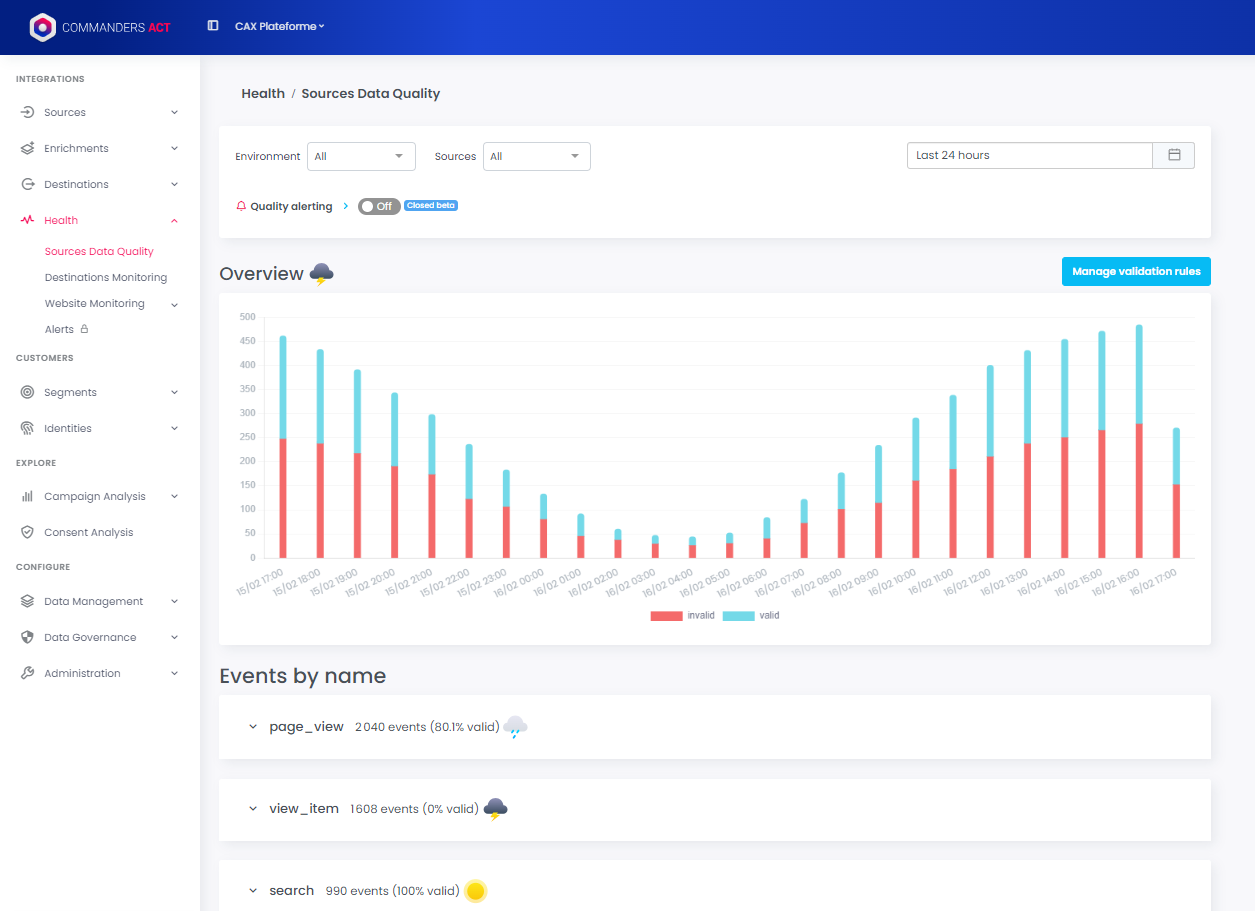
Dans le menu *Santé* vous trouverez *la qualité des données des sources*.
Vous pouvez visualiser l’évolution de la qualité des données de vos événements au fil du temps et filtrer par source ou par environnement (Production par défaut).
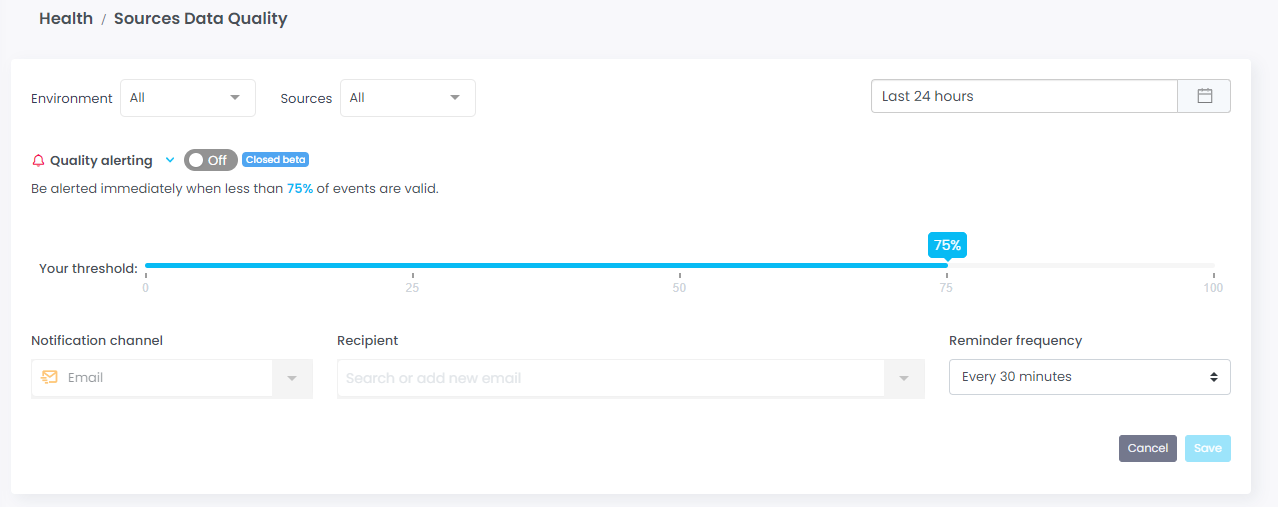
Vous pouvez configurer une alerte pour être informé en temps réel si certains de vos événements ne respectent pas vos [règles de validation](https://doc.commandersact.com/fr/fonctionnalites/data-quality/event-specification.md).
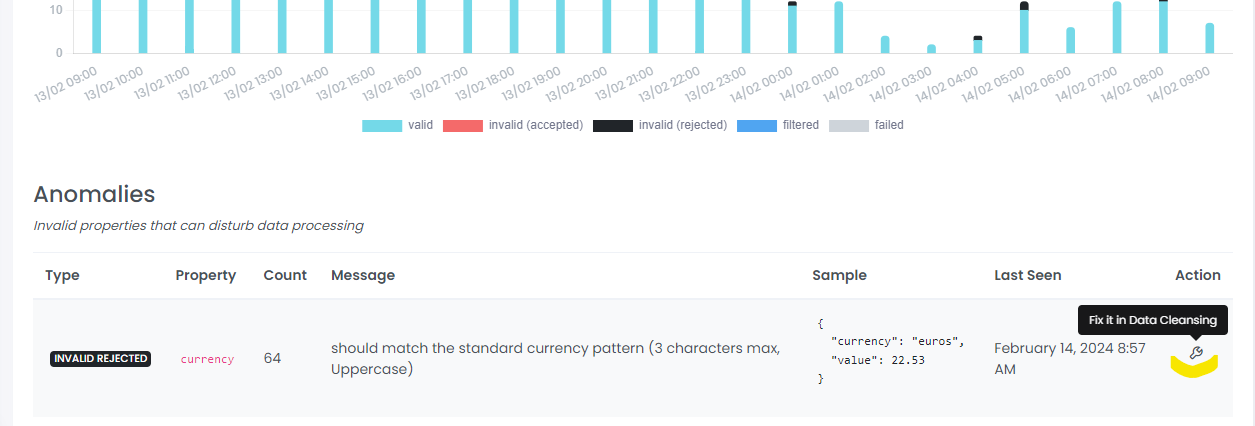
Vous pouvez analyser chaque événement en détail et obtenir plus d’informations sur les erreurs, ainsi qu’un raccourci pour [corriger l’erreur dans la fonctionnalité Data Cleansing](https://doc.commandersact.com/fr/fonctionnalites/data-quality/data-cleansing.md).
**ÉCHEC** L’événement est en erreur. Cela peut être dû à une erreur 404, à un dépassement de délai, etc.
**FILTRÉ** L’événement a été filtré (selon les conditions créées dans Normalized Datalayer).
**INVALIDE ACCEPTÉ** Cela signifie que la propriété a été supprimée, mais qu’elle ne bloque pas l’événement. Celui-ci a été reçu sans la propriété concernée. Vous devez corriger la propriété pour la recevoir.
**INVALIDE REJETÉ** Cela signifie qu’une ou plusieurs propriétés sont manquantes ou contiennent des valeurs incorrectes. Par conséquent, l’événement entier a été rejeté. Vous devez le corriger pour recevoir l’événement.
**VALIDE** L’événement a été collecté correctement. Cela signifie que vos sources envoient les données attendues dans vos spécifications.
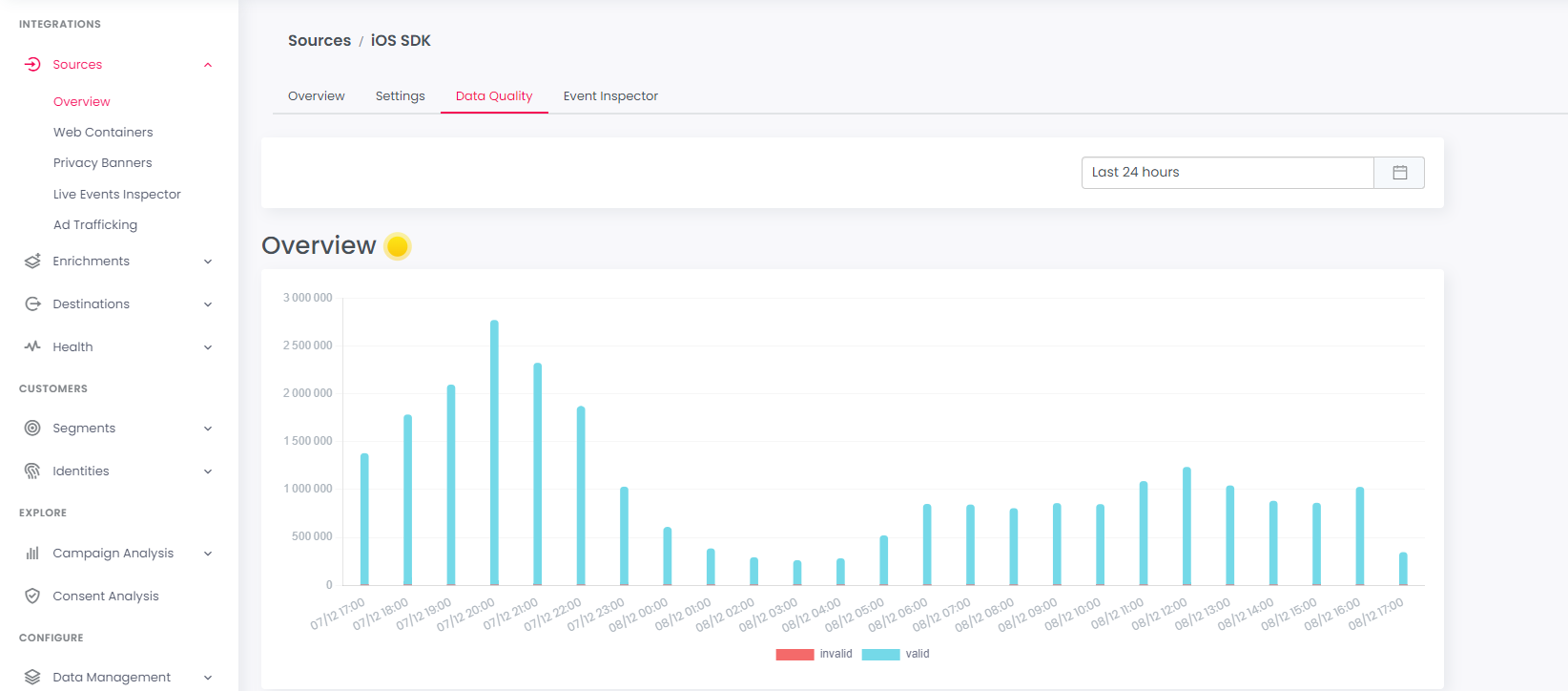
Vous pouvez également visualiser la qualité des données pour une source spécifique. Lorsque vous cliquez sur une source, un onglet dédié «*Qualité des données*» est disponible. Il affiche les mêmes informations, filtrées pour la source sélectionnée :
Le score de qualité des événements est représenté par une icône météo :
* ensoleillé si le pourcentage d’événements corrects est égal à 100 %
* nuageux entre 95 % et 99,99 %
* pluvieux entre 90 % et 95 %
* orageux en dessous de 90 %
---
# Agent Instructions
This documentation is published with GitBook. GitBook is the documentation platform designed so that both humans and AI agents can read, navigate, and reason over technical content effectively. Learn more at gitbook.com.
## Querying This Documentation
If you need additional information that is not directly available in this page, you can query the documentation by asking a question.
Perform an HTTP GET request on the following URL with the `ask` and `goal` query parameters:
```
GET https://doc.commandersact.com/fr/fonctionnalites/data-quality/data-quality.md?ask=&goal=
```
`ask` is the immediate question: it should be specific, self-contained, and written in natural language.
`goal` is what the user is ultimately trying to achieve, the reason they need the answer. Sharing it helps GitBook give you a better, more relevant answer. A goal is most helpful when it describes the outcome the user wants rather than restating the question. For example, with `ask=how do I create an API token`, a goal like `automate deployments from our CI pipeline` lets GitBook tailor the answer to that use case.
The response will contain a direct answer to the question and relevant excerpts and sources from the documentation.
Use this mechanism when the answer is not explicitly present in the current page, you need clarification or additional context, or you want to retrieve related documentation sections.
 ensoleillé si le pourcentage d’événements corrects est égal à 100 %
*
 nuageux entre 95 % et 99,99 %
*
 pluvieux entre 90 % et 95 %
*
 orageux en dessous de 90 %
---
# Agent Instructions
This documentation is published with GitBook. GitBook is the documentation platform designed so that both humans and AI agents can read, navigate, and reason over technical content effectively. Learn more at gitbook.com.
## Querying This Documentation
If you need additional information that is not directly available in this page, you can query the documentation by asking a question.
Perform an HTTP GET request on the following URL with the `ask` and `goal` query parameters:
```
GET https://doc.commandersact.com/fr/fonctionnalites/data-quality/data-quality.md?ask=